How to Document Packages and Notify Residents
This register allows a property with on-site employees and a reception desk to receive packages or deliveries on behalf of a resident. Through the portal, the resident can be notified of the instructions to retrieve the package or be informed when it has been picked up—either by the resident or by someone they have authorized.
TABLE OF CONTENTS
BEFORE YOU BEGIN
Make sure the property has on-site employees and that they are registered in the portal.
Have your resident registry ready, including email addresses and phone numbers.
Ensure that the package registry is active.
WHERE TO FIND THE FEATURE
Log in to the portal.
In the REGISTERS menu, click PARCEL MANAGEMENT.
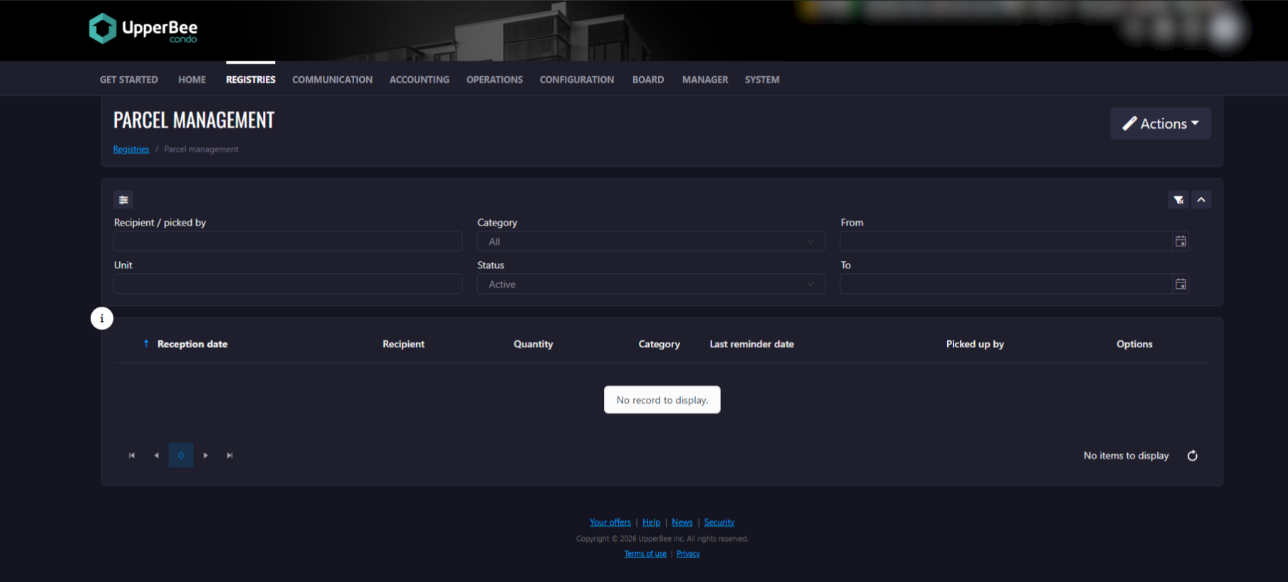
ADD A DELIVERY AND NOTIFY THE RESIDENT
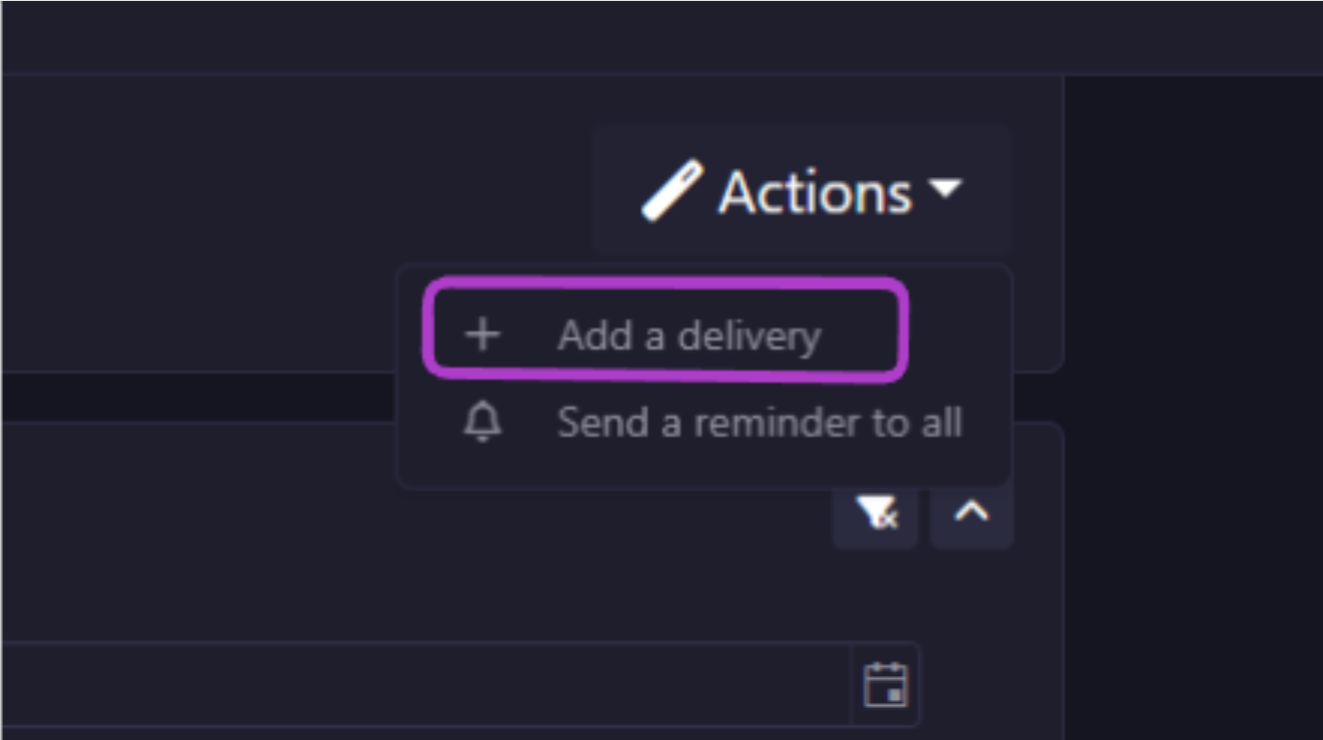
Under the ACTIONS button, click ADD A DELIVERY.
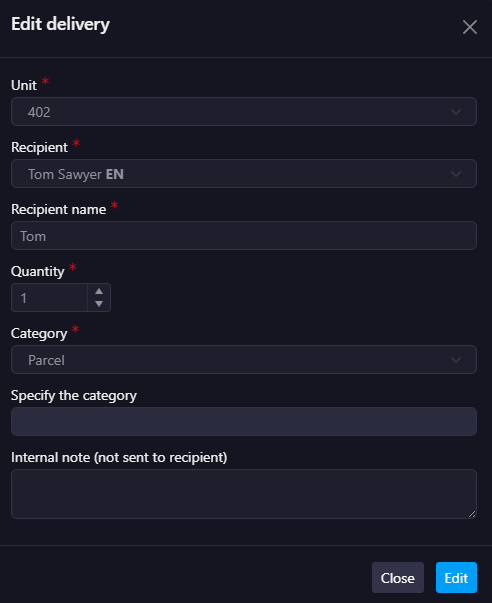
In the new window, complete the applicable fields, then click OK.
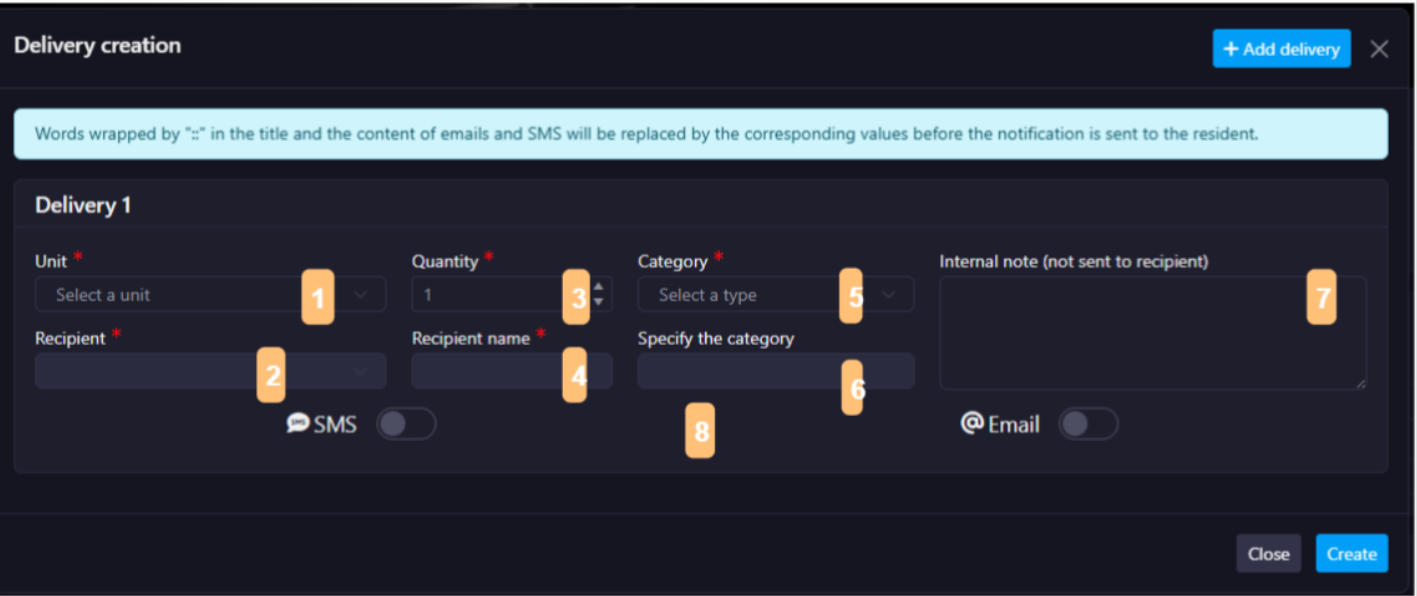
Fields:
Unit for which the delivery is intended
Recipient selection
Quantity
Name of the recipient
Delivery category
Category specification (When the Category is "Other")
Internal note
Communication method used to notify the resident of the package receipt
SEND A REMINDER
To All Recipients
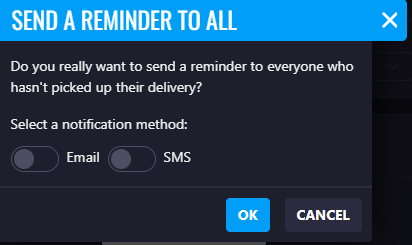
Under the ACTIONS button, click SEND A REMINDER TO ALL.
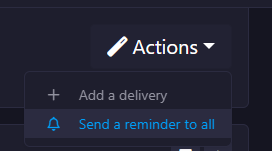
In the new window, confirm your action, then click OK.
EDIT A DELIVERY
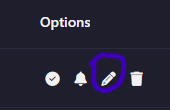
For the delivery you wish to modify, click the edit icon.
Make the desired changes to the applicable fields, then click Edit.
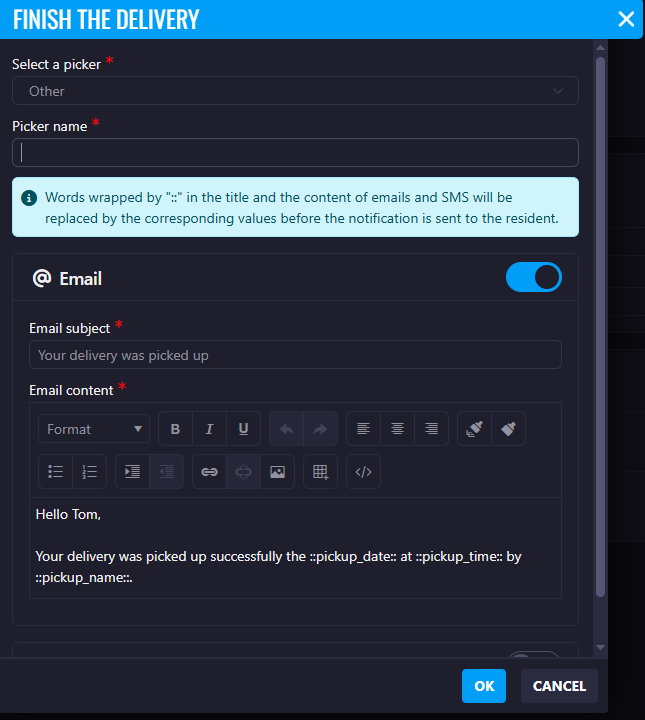
COMPLETE A DELIVERY
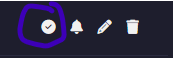
Once a delivery has been completed, click the delivery completion icon.
In the new window, complete the applicable fields, then click OK.
Select the resident or occupant who picked up the delivery.
If you select the OTHER option, specify the name of the person who picked up the delivery.
You may choose the communication method used to notify the resident.
FREQUENTLY ASKED QUESTIONS
Q: Are there any fees associated with using this feature?
A: If you use SMS to notify residents of a delivery, additional fees related to this supplementary service do apply.
Q: Can we integrate smart lockers with Upperbee?
A: You can select to integrate a smart locker by accessing the property's settings and clicking on "Smart parcel locker" in the "Integrations" section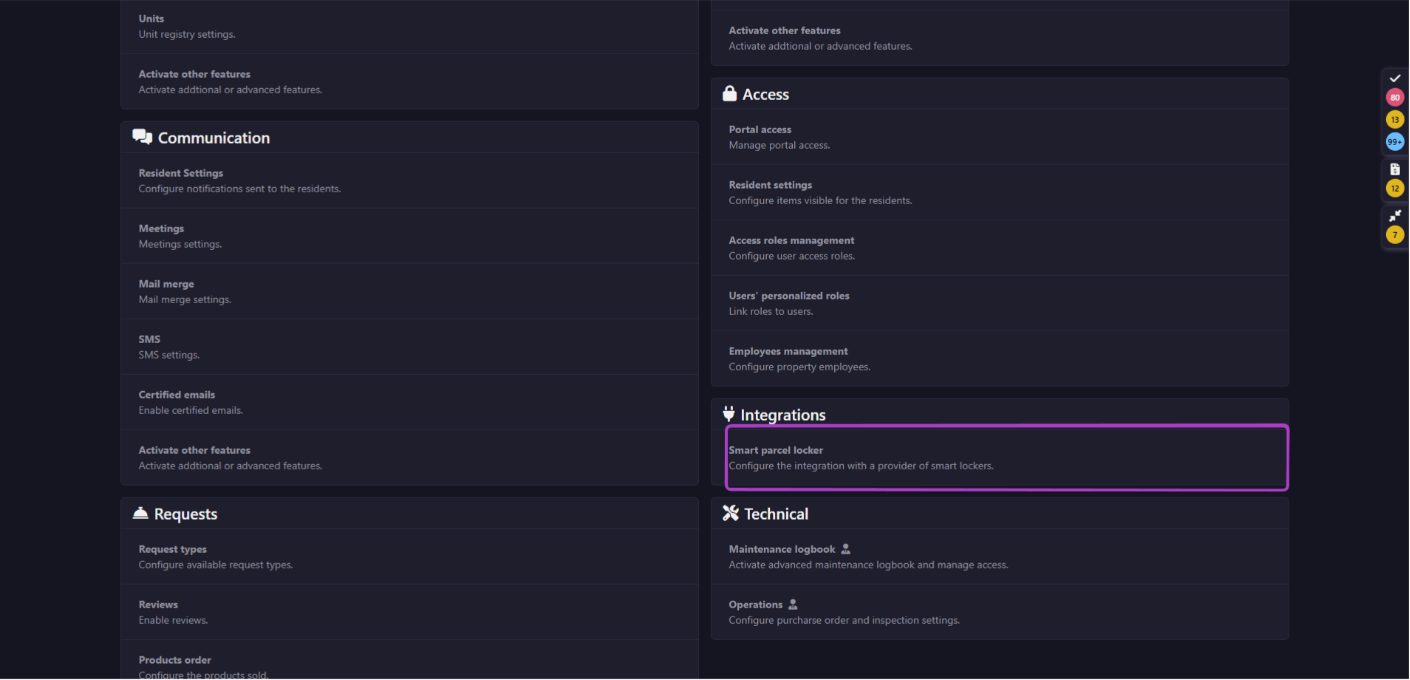
From there, you'll be able to select a provider from: Bluebox, Snaile, Expedibox, or Lockourier. Once you've selected your provider, click "Generate" to obtain API key
Was this article helpful?
That’s Great!
Thank you for your feedback
Sorry! We couldn't be helpful
Thank you for your feedback
Feedback sent
We appreciate your effort and will try to fix the article